
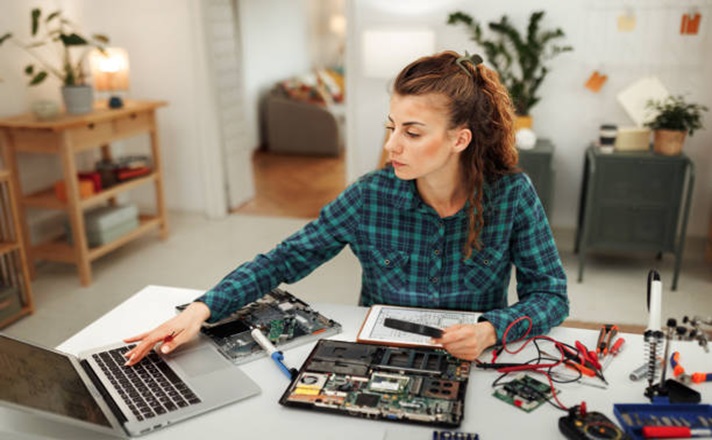
A home office does not need a full renovation to become more comfortable, organized, and practical.
In many cases, the biggest problems come from poor furniture placement, weak lighting, clutter, or a setup that does not match the way the room is actually used.
A few thoughtful changes can make daily work easier without replacing flooring, moving walls, or installing built-in furniture. The best place to start is with the small problems that interrupt focus or make routine tasks harder.
Small Changes That Can Make a Home Office Work Better
Before buying new furniture or accessories, spend a normal workday paying attention to what feels inconvenient. Maybe the monitor sits too low, paperwork keeps spreading across the desk, or cables make the room difficult to keep tidy.
Once the problem is clear, it becomes easier to choose a simple fix.
1. Reposition the Desk Before Replacing It
Desk placement affects lighting, screen glare, movement, and how comfortable the room feels.
If the monitor faces a bright window, reflections can make the screen harder to read. Placing the desk at an angle or sideways to a window can often reduce glare while still allowing natural light into the room.
Also consider how easily the chair can move and whether drawers or doors can open without getting blocked.
Before buying a new desk, test two or three positions with the furniture already available. A different layout may solve the problem at no cost.
2. Adjust the Chair and Monitor Together
The chair, desk, and monitor should work as one setup rather than three separate pieces.
Start by adjusting the chair so the feet rest comfortably on the floor or on a footrest. The back should feel supported, while the shoulders remain relaxed.
Next, position the monitor directly in front of the main sitting position. Keeping the screen around eye level can reduce the need to repeatedly tilt the head up or down.
If the monitor is too low, a stable monitor stand or riser may be enough to correct the position.
3. Use Vertical Space for Storage
Adding another cabinet can quickly reduce floor space, especially in a small home office.
Walls can often provide extra storage without making the room feel crowded. Floating shelves, wall pockets, pegboards, and narrow shelving units can hold supplies, folders, books, or small equipment.
Keep frequently used items at an easy-to-reach height. Less-used materials can go on higher shelves.
Avoid filling every available surface. Leaving some open space helps the room feel calmer and makes important items easier to find.
4. Organize the Office Around Actual Work Tasks
An office becomes easier to use when different tasks have clear places.
Someone who works mainly on a laptop may need one main desk, a charging area, and a small filing space. A person dealing with printed documents may need a separate tray for incoming paperwork and another area for completed work.
Digital tools can be organized in the same way. A writer, editor, or content professional may keep shortcuts to cloud documents, proofreading resources, research tools, or a service used to check GPT content as part of a wider review process.
The point is not to collect more tools. It is to make the tools already being used easier to access when they are needed.
5. Improve Lighting in Layers
One overhead light may not work well for every task.
A better setup often combines general room lighting with a desk lamp for reading, writing, or other close work. Natural light can also be useful, although blinds or curtains may be needed when the sun becomes too bright.
Place lamps where they illuminate the work surface without creating reflections on the monitor.
If paperwork is difficult to read, move the lamp closer to the document instead of making the entire room brighter.
6. Remove Things That Do Not Support Daily Work
Home offices often become storage areas because unused items slowly collect there.
Start with the desk. Keep only the tools used regularly within easy reach. Old notebooks, spare cables, unopened mail, packaging, and rarely used equipment can be moved elsewhere.
Then check shelves and drawers.
A useful question is simple: does this item help with work often enough to deserve space in the office?
Reducing unnecessary items makes cleaning faster and lowers the chance of clutter building up again.
7. Control Cable Clutter
Loose cables can make a tidy office look disorganized and can also get in the way around the desk.
Simple accessories can solve most cable problems without making changes to walls or flooring. Reusable cable ties, clips, under-desk trays, and carefully placed power strips can keep cords grouped and out of walking areas.
It also helps to separate cables by purpose:
- Keep computer and monitor cables together.
- Group phone and accessory chargers separately.
- Label cables that look similar.
- Remove chargers that are no longer regularly used.
This makes future equipment changes much easier.
8. Add Comfort Without Overfilling the Room
A home office should feel comfortable, but too many decorative items can reduce useful workspace.
Choose a few additions that make the room more pleasant without interfering with work. A small rug, framed artwork, a plant, or a comfortable chair may be enough.
Keep the main work surface mostly clear and make sure walkways stay open.
It is usually better to add one useful or meaningful item at a time rather than filling every empty corner.
Conclusion
Improving a home office without remodeling is mostly about fixing the small problems that appear every day. Better desk placement, monitor positioning, lighting, storage, cable control, and organization can change how the room works without structural changes.
Start with the issue that causes the most frustration and make one adjustment first. After using the new setup for a few days, it will be easier to see what else needs attention.
A better home office does not have to be larger or more expensive. It simply needs to support the way work actually gets done.


